Interface to Interaction: Evaluating Student Engagement Through Figma Tutorials
Project Overview
This project explores how to improve beginner learning outcomes when using software tutorials — focusing on Figma and its importance in UI design education. To achieve this, I designed a mobile shopping app prototype and a supporting video tutorial series, and then interviewed learners to measure engagement and effectiveness.
The aim was to help students confidently build UI screens independently, without relying on face-to-face instructional support.
Research Focus
Through interviews and academic review, I explored what learners find helpful or frustrating when following tutorials. Findings showed that students engage best with:
Short, focused lessons they can complete quickly
Clear verbal explanation paired with precise visual guidance
Logical pacing that matches skill progression
Tutorials that build toward a real, usable product
Design decisions were directly shaped by these insight themes.
Mobile App Prototype
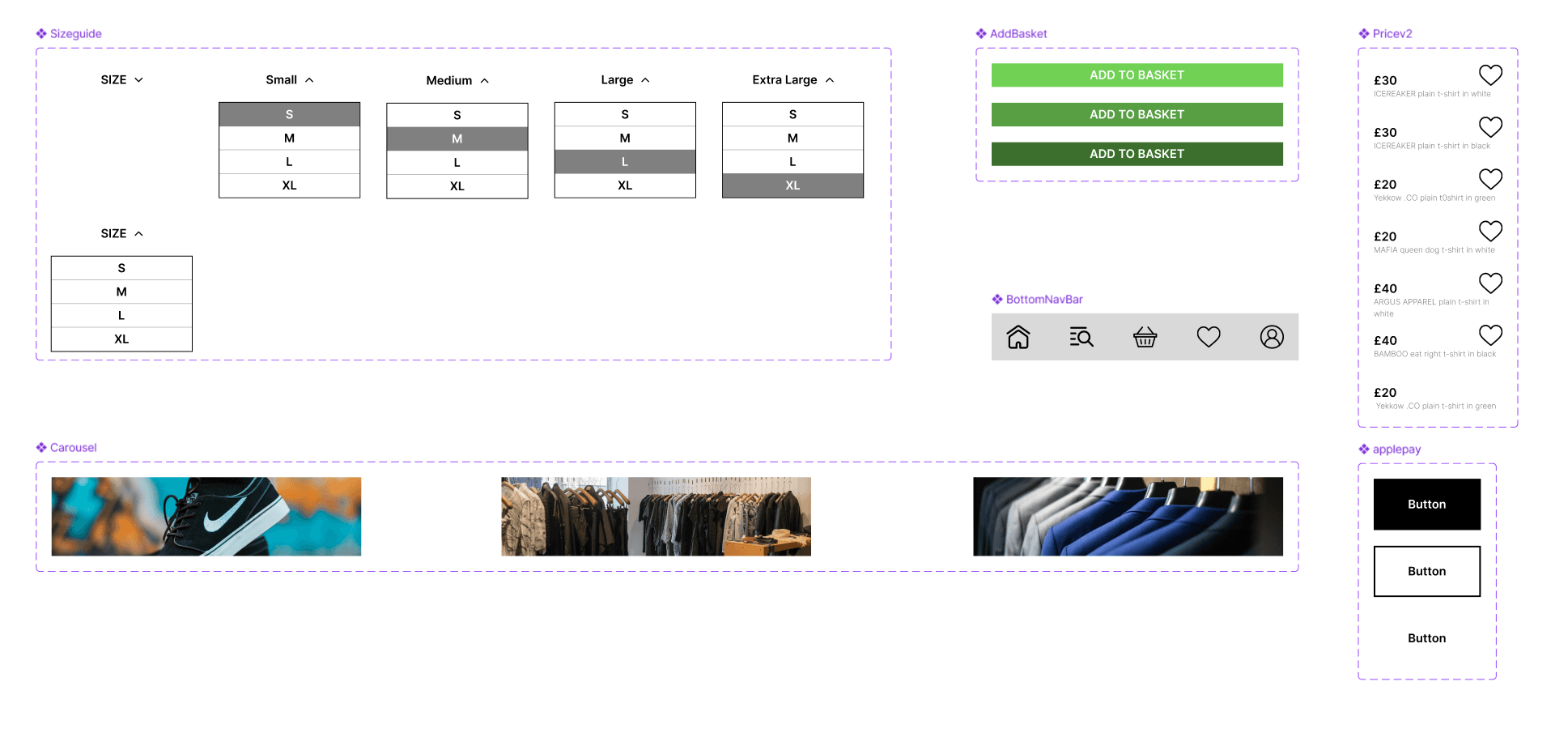
I developed a realistic men’s retail shopping app used as the project context. Each tutorial teaches a different core UI element — navigation, product cards, imagery layouts, buttons, and interaction states. This ensured content felt relevant and rewarding as screens came together.
Guided Tutorial Series
A set of five short lessons walked users through building components step-by-step in Figma:
Replicable workflows
Introduction to interactive elements
Visual hierarchy for usability
This combination helped beginners translate concepts into practical interface skills.
User Testing Results
Interviewed learners responded well to the teaching format — calling the videos straightforward and easy to follow. They appreciated:
Clear voiceover pacing
Minimal distractions
Ability to mirror actions in real time
Users strongly preferred 1–10 minute segments versus longer, more overwhelming tutorials, confirming the value of concise content structure.
Outcome & Reflection
This project strengthened my ability to design learning experiences that support beginners using software independently. The tutorials helped users stay engaged by being short, focused, and easy to follow.
I also learned to adjust pacing and terminology based on varied digital skill levels, making the content more accessible to first-time Figma users.
The process highlighted challenges with editing quality and delivery flow, giving me clearer direction for future tutorial production.
Overall, this project showed how structured guidance + hands-on UI creation can build confidence and help learners understand core design principles more effectively.
Key Outcomes
Functional mobile shopping app used as the tutorial’s learning context
Clear and well-paced instructional content valued by users
Validated preference for short 1–10 minute lessons
Improved skills in educational content UX, user testing, and delivery structure
Future Iterations
Cleaner, more scripted delivery to improve clarity and timing
Broader user testing across different student backgrounds for wider accessibility
Updated lessons to reflect new Figma features and workflows
Potential for learning analytics and multi-platform versions to support continued skill growth